Creating your personal website using Quarto
ใครที่เปิดมาเจอ แสดงว่า กำลังสนใจหรืออยากรู้เกี่ยวกับ Quarto และหวังว่าคุณจะได้ประโยชน์ เกี่ยวกับมันไม่มากก็น้อย ผมเองก็เพิ่งจะเริ่มใช้มัน ทำหลายอย่างด้วยกัน อย่างเช่น เวปบล๊อกนี้ และ Ebook อีกด้วย
บทความนี้แปลมาจากบทความที่เขียนโดย Sam clicks อธิบาย Quarto ซึ่งเป็นเครื่องมืออันนึง workflow สำหรับสร้างเวปไซท์ และสร้างเวปไซท์ ได้อย่างละเอียด บทความนี้ นอกจากแปลแล้ว จะอธิบายตามความเข้าใจจากการทำตามจริง
บทความที่ชวนอ่านเพิ่มเติม เพื่อให้เข้าใจมากขึ้น
- Posit’s incredible
- Customizing Quarto Websites using Sass & CSS
- Adding a blog to your existing Quarto website.
เนื้อหาในบทความนี้ จะพบกับ callout boxes ซึ่งจะให้ข้อมูลเพิ่เติมหรือเกร็ดเล็ก เกล็ดน้อย
This is a note, often providing additional context, clarification, resources, etc.
This is a tip, with suggested workflows, organizational tips, additional tools, etc.
This is important text – be sure to read these carefully as to not miss any important steps!
What is Quarto?

Quarto คือ publishing system สร้างบน Pandoc ที่ผู้ใช้สามารถสร้างเอกสาร โดยใช้ภาษา R Python Julia และ ObservableJS (และในอนาคต อาจจะรวงรับมากกว่านี้)
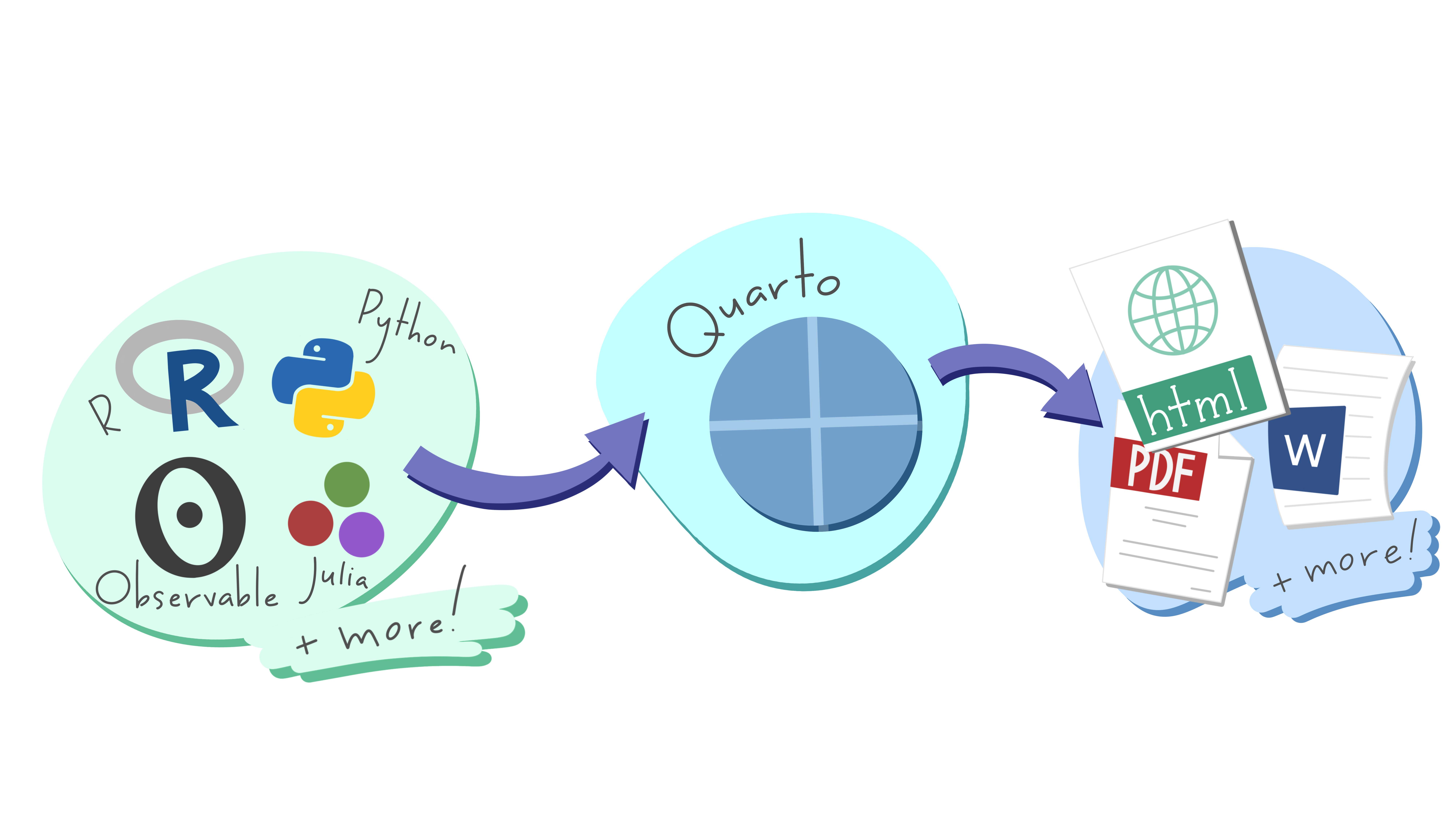
Art by Allison Horst. Be sure to check out the rest of Allison’s seriously cute Quarto penguin art in the #rstudioconf2022 keynote talk, Hello Quarto, by Julie Lowndes & Mine Çetinkaya-Rundel!
สำหรับผู้ใช้อาร์รู้จักกับ RMarkdown เพื่อรวบเนื้อหา(ตัวหนังสือ) code และ output และ รวมเรียกว่า “knitted” documents แต่ Quarto ทำได้เหมือน RMarkdown แต่ได้ได้มากกว่า อีกทั้ง ยังใช้ได้กับภาษาอื่น ๆ ได้
สำหรับคนใช้หรือคุ้นเคยกับ RMarkdown แล้วจะพบว่าไฟล์ RMarkdown (.rmd) และ Quarto Markdown (.qmd) มีส่วนคล้ายกัน:
metadata และ configurations จะอยู่ในไฟล์ YAML (ตาม
---ที่อยู่บนบนของเอกสาร)โค้ด จะเขียนอยู่ในส่วนที่เรียกว่า code chunks
สำหรับ อาร์แล้ว จะอยู่ใน
```{r}
1+1
```
ตัวอักษร ที่เป็นส่วนของเนื้อหา นั้น เขียนอยู่ในส่วนของ body
.rmd vs. .qmd files
They also look pretty similar when knitted/rendered. Below is a side-by-side comparison of a knitted .rmd file and a rendered .qmd file (both as .html files):
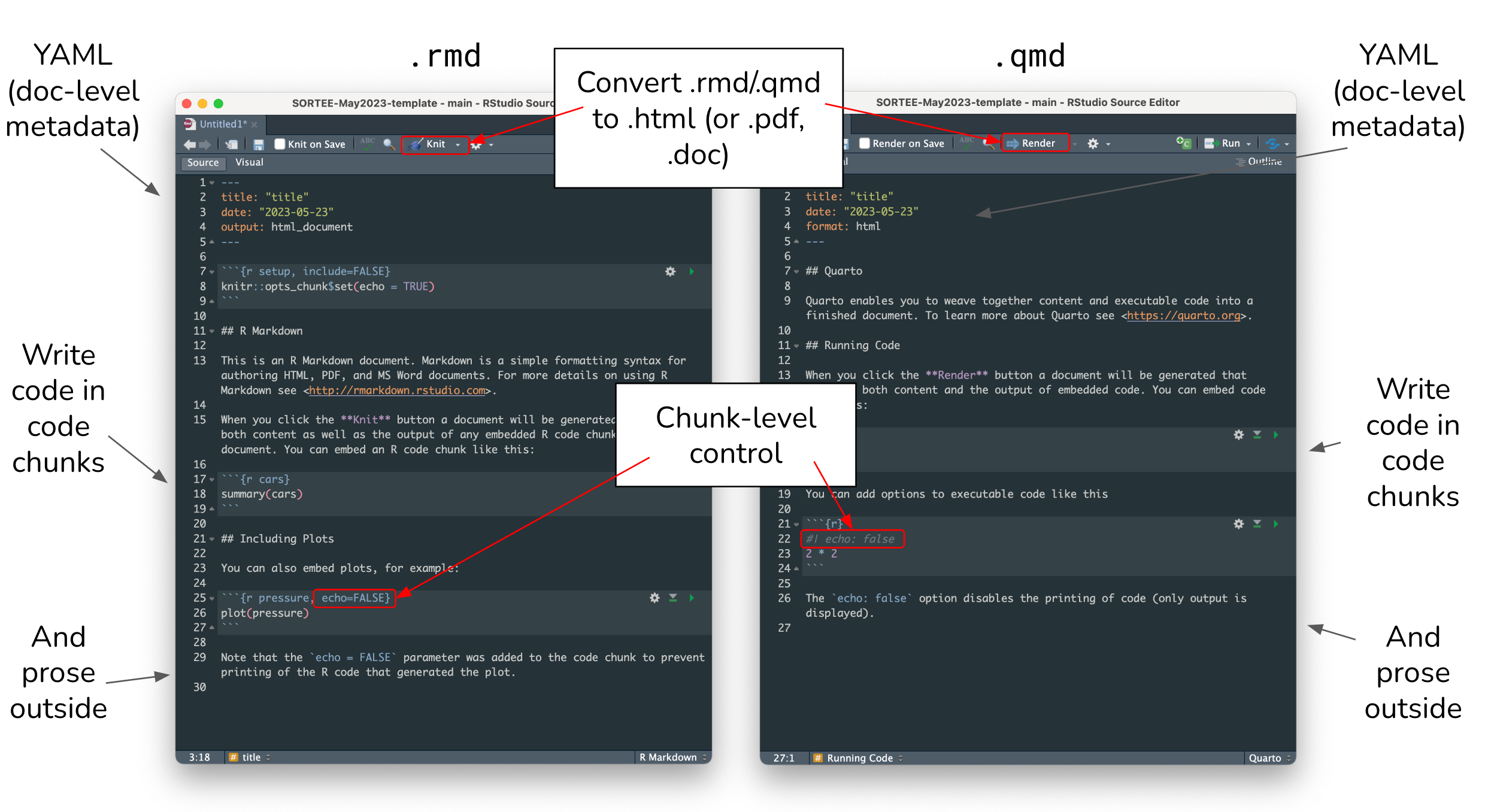
สำหรับ .rmd files Knit ส่วน .qmd files Render เพื่อแปลงไปเป็นเอกสารที่กำหนดไว้ หรือ output เป็นไฟล์ .html เป็นต้น
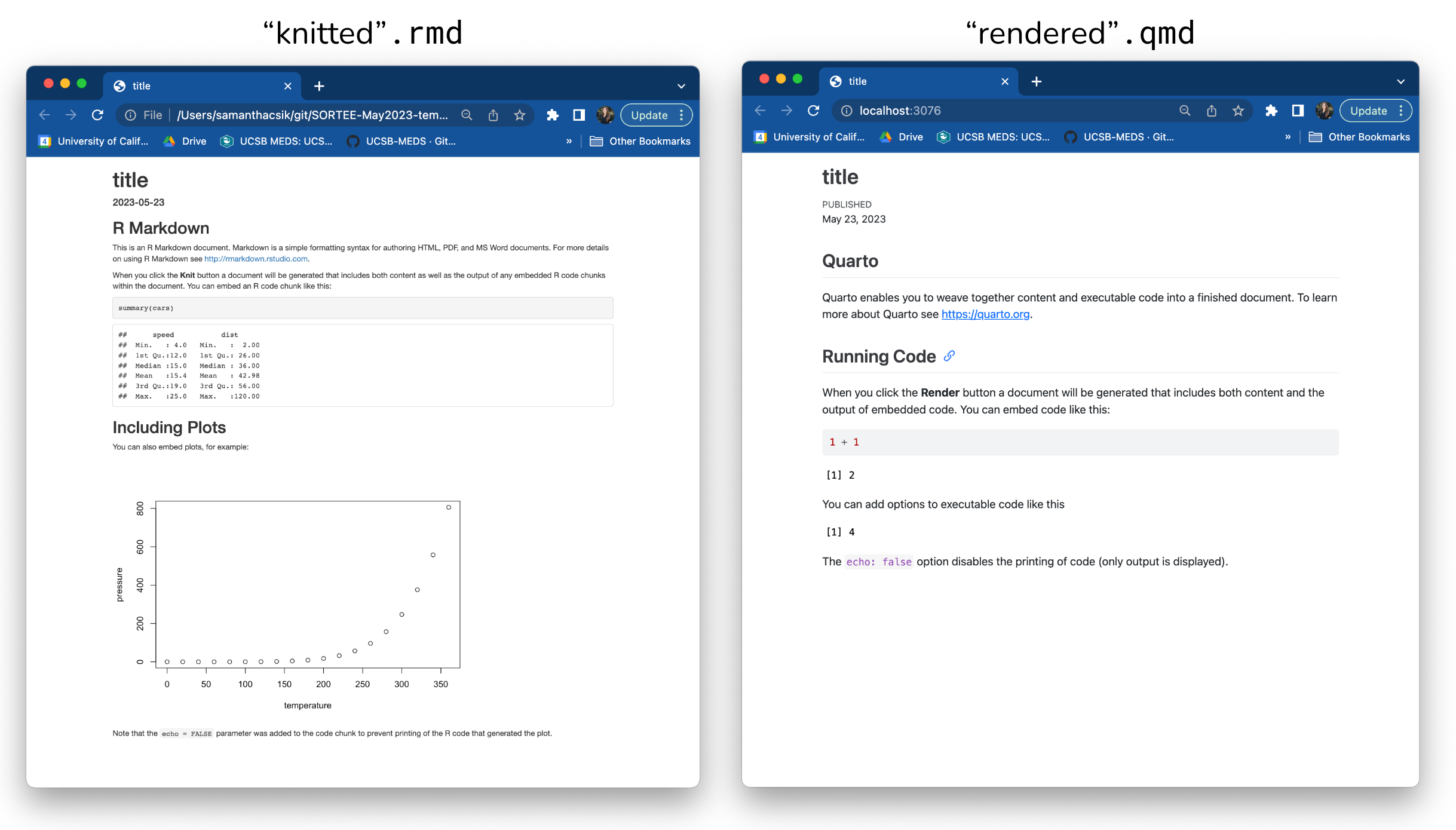
อ่านเพิ่มเติมได้ Quarto’s documentation เพื่อสร้าง document websites blogs books slides และอื่น ๆ